 ec689c3a03
The rail had two navigation grammars for the same destinations: a compact icon strip on recognized routes, and StaticNavigation — full labeled rows — on everything else (/about, /403, /404, wildcard). Crossing onto one of those pages rearranged the entire rail, and any route nobody remembered to classify silently inherited the alternate layout. Make the frame invariant instead: header, global strip, contextual content, footer — on every route. Pages without a specific sidebar tenant now fall back to the default library content (the home collection for signed-in users, explore for guests), following the convention that error and utility pages render inside the persistent shell rather than degrading it. The memo-detail route gets the same fallback while the page has not yet published its descriptor, instead of a blank scroll area. Off the collection routes the library is display-plus-navigation, so StatisticsView and TagsSection accept a navigationTarget: calendar and tag clicks land on / or /explore with the filter in the query string, which RootLayout's route-change effect would otherwise wipe. StaticNavigation is deleted, About returns to living only in the user menu (the showAbout prop is gone), and the guest strip now marks About active on /about. |
||
|---|---|---|
| .github | ||
| cmd/memos | ||
| docs | ||
| internal | ||
| proto | ||
| scripts | ||
| server | ||
| store | ||
| web | ||
| .dockerignore | ||
| .gitignore | ||
| .golangci.yaml | ||
| .release-please-manifest.json | ||
| AGENTS.md | ||
| CHANGELOG.md | ||
| CODEOWNERS | ||
| go.mod | ||
| go.sum | ||
| LICENSE | ||
| README.md | ||
| release-please-config.json | ||
| SECURITY.md | ||
✨ Featured Sponsor: CodeRabbit — Cut code review time & bugs in half, instantly.
Memos

Memos is an open-source, self-hosted note-taking app built for quick capture. It is Markdown-native, lightweight, and keeps your data under your control.





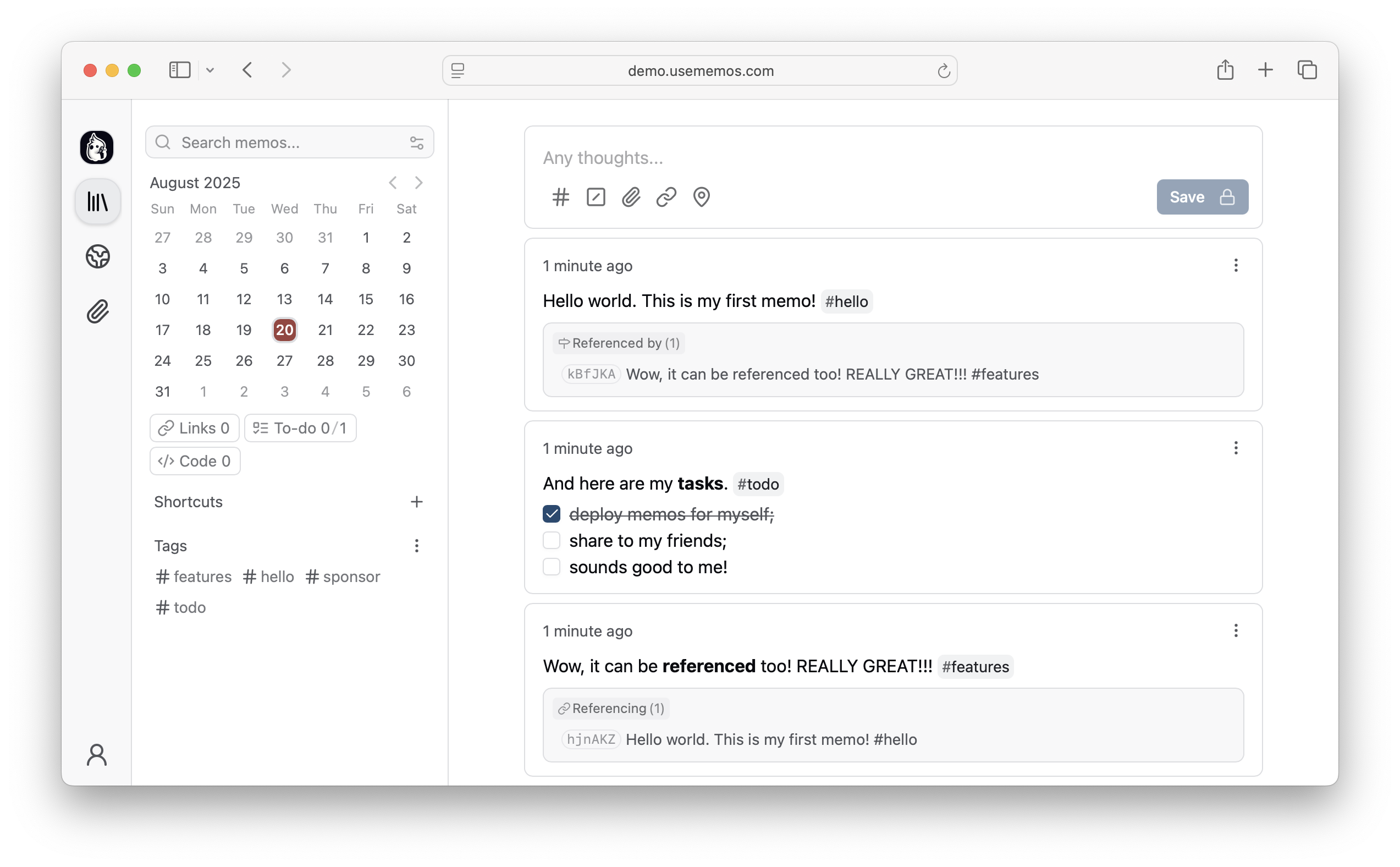
Features
- Capture quickly — A timeline-first interface keeps note-taking simple: open, write, and move on.
- Own your data — Self-host Memos on your infrastructure with no telemetry.
- Deploy anywhere — Run a single Go binary or Docker container with SQLite, MySQL, or PostgreSQL.
- Integrate freely — Build on the REST and gRPC APIs or adapt the MIT-licensed source to your needs.
Quick Start
Want to explore Memos first? Open the live demo.
Docker (Recommended)
docker run -d \
  --name memos \
  -p 5230:5230 \
  -v ~/.memos:/var/opt/memos \
  neosmemo/memos:stable
Open http://localhost:5230 and start writing.
Native Binary
curl -fsSL https://raw.githubusercontent.com/usememos/memos/main/scripts/install.sh | sh
Other Installation Methods
- Docker Compose — Recommended for production deployments.
- Kubernetes — Helm charts and manifests are available.
- Build from source — Best for development and customization.
See the deployment guide for detailed instructions.
Web Clipper
Save pages, selected text, and images directly to your Memos instance with the official Memos Web Clipper. The extension is available for Chrome and Firefox, and lets you review each clip, choose its visibility, and customize its Markdown format before saving.
Contributing
Contributions of all kinds are welcome, including bug reports, feature suggestions, pull requests, documentation, and translations.
Sponsors
- CodeRabbit — Cut code review time and bugs in half
- SSD Nodes — Affordable VPS hosting for self-hosters
Love Memos? Sponsor us on GitHub to help keep the project growing!
License
Memos is open-source software licensed under the MIT License. See our Privacy Policy for details on data handling.
Website • Documentation • Demo • Discord • X/Twitter