 d722608947
Calendar cells were `aspect-square w-full`, so cell height was a pure function of rail width. Dragging the rail from 224px to its 400px max took the calendar block from 231px to 382px — a 65% jump that pushed Views and Tags out of view, left a 12px numeral floating in a 50px box, and turned the selected day into a 50x50 slab against a rail whose every other row is 30px. Split the cell in two: the button spans its whole column and takes the pointer, while a chip inside it carries the fill, the ring and the today dot, and stops growing at `maxSize`. A chip is therefore `min(column, 30px)` — narrow rails are untouched (224px still yields 25px cells, 170px of grid) and wider ones spend the surplus on hit area instead of height, holding the grid at 200px from 258px up. The today dot stops detaching as a side effect: it is positioned against a chip that no longer grows, rather than against a cell floor that drifted 19px below the numeral at full width. |
||
|---|---|---|
| .github | ||
| cmd/memos | ||
| docs | ||
| internal | ||
| proto | ||
| scripts | ||
| server | ||
| store | ||
| web | ||
| .dockerignore | ||
| .gitignore | ||
| .golangci.yaml | ||
| .release-please-manifest.json | ||
| AGENTS.md | ||
| CHANGELOG.md | ||
| CODEOWNERS | ||
| go.mod | ||
| go.sum | ||
| LICENSE | ||
| README.md | ||
| release-please-config.json | ||
| SECURITY.md | ||
✨ Featured Sponsor: CodeRabbit — Cut code review time & bugs in half, instantly.
Memos

Memos is an open-source, self-hosted note-taking app built for quick capture. It is Markdown-native, lightweight, and keeps your data under your control.





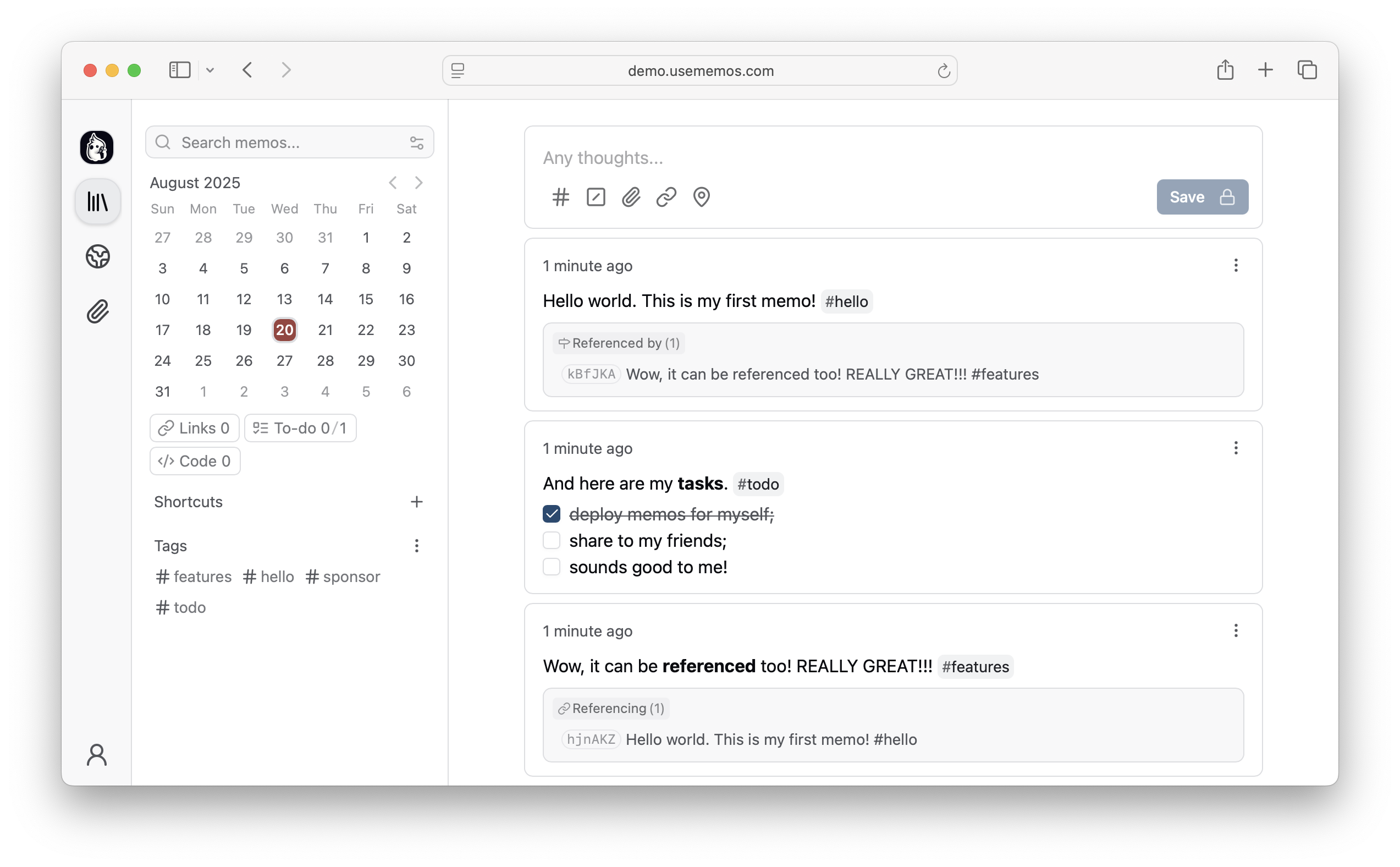
Features
- Capture quickly — A timeline-first interface keeps note-taking simple: open, write, and move on.
- Own your data — Self-host Memos on your infrastructure with no telemetry.
- Deploy anywhere — Run a single Go binary or Docker container with SQLite, MySQL, or PostgreSQL.
- Integrate freely — Build on the REST and gRPC APIs or adapt the MIT-licensed source to your needs.
Quick Start
Want to explore Memos first? Open the live demo.
Docker (Recommended)
docker run -d \
  --name memos \
  -p 5230:5230 \
  -v ~/.memos:/var/opt/memos \
  neosmemo/memos:stable
Open http://localhost:5230 and start writing.
Native Binary
curl -fsSL https://raw.githubusercontent.com/usememos/memos/main/scripts/install.sh | sh
Other Installation Methods
- Docker Compose — Recommended for production deployments.
- Kubernetes — Helm charts and manifests are available.
- Build from source — Best for development and customization.
See the deployment guide for detailed instructions.
Web Clipper
Save pages, selected text, and images directly to your Memos instance with the official Memos Web Clipper. The extension is available for Chrome and Firefox, and lets you review each clip, choose its visibility, and customize its Markdown format before saving.
Contributing
Contributions of all kinds are welcome, including bug reports, feature suggestions, pull requests, documentation, and translations.
Sponsors
- CodeRabbit — Cut code review time and bugs in half
- SSD Nodes — Affordable VPS hosting for self-hosters
Love Memos? Sponsor us on GitHub to help keep the project growing!
License
Memos is open-source software licensed under the MIT License. See our Privacy Policy for details on data handling.
Website • Documentation • Demo • Discord • X/Twitter