 c031b77c83
buttons The calendar shipped its own "quiet control" grammar as a page-local set of class strings: 28px tall, 13px text, muted ink that darkens under a light hover wash, ring-free outline focus, and the accent fill reserved for a pressed or current state. The same look was hand-rolled elsewhere with drifting values (/65 ink, /50 washes, ring focus) as className overrides on the kit's Button, against the kit policy. The grammar now lives in the kit as `variant="quiet"`, with the accent fill keyed off `aria-pressed`, `aria-current` and `data-popup-open`, so a control that is on, current, or holding a popup open fills itself. A `size="icon-compact"` names the 28px square the sidebar already used for its compose control; `sm` already had the height for labelled chips. Kit buttons had no focus treatment of their own, so sites that needed one bolted `focus-visible:ring-*` overrides onto the Button. The base now carries a 2px inset outline from a new `ui/focus.ts` constant that raw controls (calendar grid cells, the reaction chip) import too, and the calendar's controls.ts goes away. With both in place the hand-rolled sites collapse onto the variant: the calendar's header, month picker and day panel; the statistics month navigator; the sidebar's section actions and compose and mobile menu controls; the memo card's trailing actions and its action menu, which no longer takes a className; the share-image dialog's footer; the memo outline; and the inactive underline tab. The month title fills while its picker is open and the outline's current heading fills like every other current thing. Tests follow the classes they assert. |
||
|---|---|---|
| .github | ||
| cmd/memos | ||
| docs | ||
| internal | ||
| proto | ||
| scripts | ||
| server | ||
| store | ||
| web | ||
| .dockerignore | ||
| .gitignore | ||
| .golangci.yaml | ||
| .release-please-manifest.json | ||
| AGENTS.md | ||
| CHANGELOG.md | ||
| CODEOWNERS | ||
| CONTEXT.md | ||
| go.mod | ||
| go.sum | ||
| LICENSE | ||
| README.md | ||
| release-please-config.json | ||
| SECURITY.md | ||
✨ Featured sponsor: CodeRabbit — Industry-leading AI code reviews.
Memos

Fast enough for every thought. Private enough for all of them.
Memos is an open-source, self-hosted home for short-form thinking. Daily notes, links, work logs, and snippets flow into a chronological Markdown timeline—on infrastructure you control, without the overhead of an all-in-one workspace.
Run with Docker · Try the live demo · Read the docs




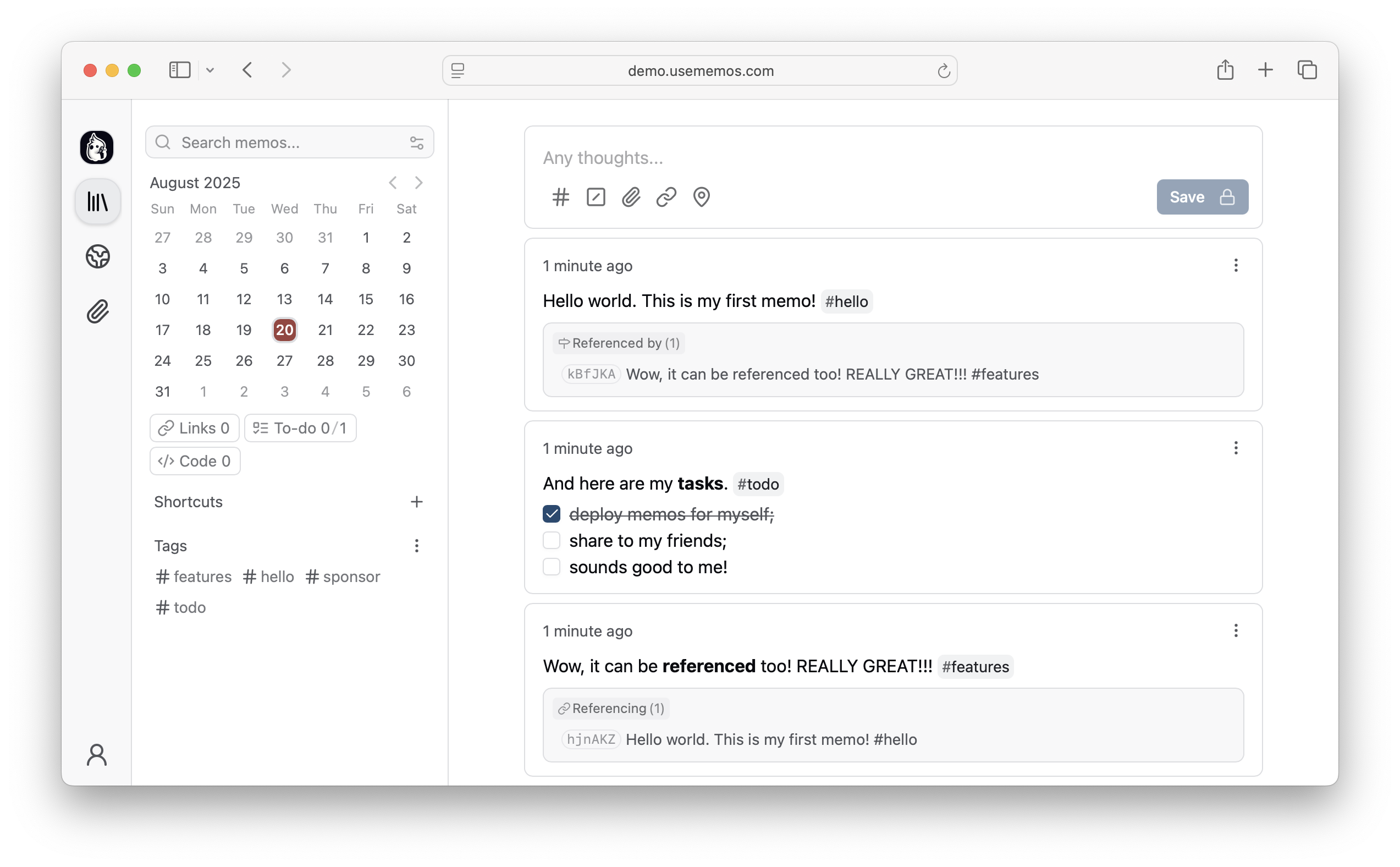
Why Memos?
- Capture quickly — Write in Markdown, attach media, and save without choosing a title, folder, or template.
- Organize lightly — Revisit notes through the timeline, search, tags, and pins.
- Share selectively — Keep memos private or publish only what you choose.
- Keep control — Self-host Memos with zero telemetry and MIT-licensed source.
Quick Start
Run Memos with Docker:
docker run -d \
  --name memos \
  -p 5230:5230 \
  -v ~/.memos:/var/opt/memos \
  neosmemo/memos:stable
Other install options are in the deployment guide.
Web Clipper
Save pages, selections, and images from your browser straight into Memos as source-linked Markdown. Get the Memos Web Clipper for Chrome or Firefox.
Sponsors


Love Memos? Sponsor the project on GitHub.
Get Help
Read the docs, join Discord, or ask in GitHub Discussions. Found a bug or have an idea? Open an issue. To contribute, see the contributing guide.