 af008b2153
The selected Space used to live in sessionStorage and ride along invisibly with every collection route. It now lives in the URL: collection pages exist both globally and beneath /spaces/:spaceUid, and the Space context derives its scope from the current location. - Add a Space route branch (Home, Explore, Calendar, Attachments) guarded by a SpaceRoute that shows loading, unavailable, and retry states. - Resolve collection routes through one matchPath-based helper built from the route constants; build Space-scoped paths with buildCollectionPath. - Fetch the route Space directly, seeded from the switcher list so pages are not held behind a second round-trip. - Turn the Space switcher into plain links that preserve the current collection view and query. - Drop the remembered-Space machinery: clearSelectedSpace/selectMemos, the compose-placement policy, routeSupportsCollectionScope, and the quick-find switchToAll flag are all implied by the URL now. - Return from memo details to the full origin URL, including its Space. - Add space.unavailable and space.back-to-memos strings; align the Azerbaijani catalog with English. |
||
|---|---|---|
| .github | ||
| cmd/memos | ||
| docs | ||
| internal | ||
| proto | ||
| scripts | ||
| server | ||
| store | ||
| web | ||
| .dockerignore | ||
| .gitignore | ||
| .golangci.yaml | ||
| .release-please-manifest.json | ||
| AGENTS.md | ||
| CHANGELOG.md | ||
| CODEOWNERS | ||
| CONTEXT.md | ||
| go.mod | ||
| go.sum | ||
| LICENSE | ||
| README.md | ||
| release-please-config.json | ||
| SECURITY.md | ||
✨ Featured sponsor: CodeRabbit — Industry-leading AI code reviews.
Memos

Fast enough for every thought. Private enough for all of them.
Memos is an open-source, self-hosted home for short-form thinking. Daily notes, links, work logs, and snippets flow into a chronological Markdown timeline—on infrastructure you control, without the overhead of an all-in-one workspace.
Run with Docker · Try the live demo · Read the docs




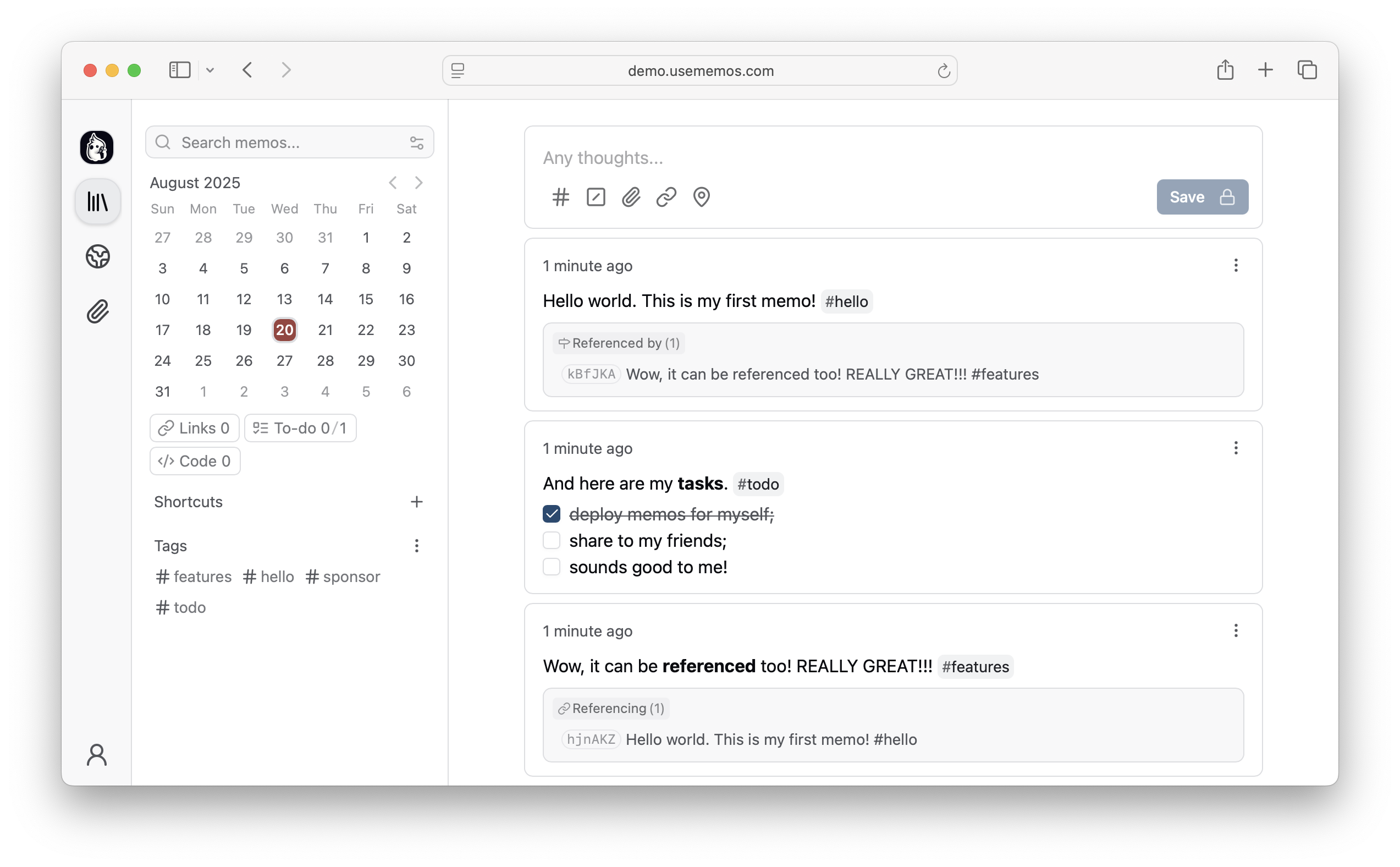
Why Memos?
- Capture quickly — Write in Markdown, attach media, and save without choosing a title, folder, or template.
- Organize lightly — Revisit notes through the timeline, search, tags, and pins.
- Share selectively — Keep memos private or publish only what you choose.
- Keep control — Self-host Memos with zero telemetry and MIT-licensed source.
Quick Start
Run Memos with Docker:
docker run -d \
  --name memos \
  -p 5230:5230 \
  -v ~/.memos:/var/opt/memos \
  neosmemo/memos:stable
Other install options are in the deployment guide.
Web Clipper
Save pages, selections, and images from your browser straight into Memos as source-linked Markdown. Get the Memos Web Clipper for Chrome or Firefox.
Sponsors



Love Memos? Sponsor the project on GitHub.
Get Help
Read the docs, join Discord, or ask in GitHub Discussions. Found a bug or have an idea? Open an issue. To contribute, see the contributing guide.