 55d8e6ad42
The user page at /u/:username now opens with a compact identity block (40px avatar, name, handle, clamped bio) instead of a hero header with a share button, and the list beneath it follows the user's column setting like Explore does. In grid mode the header spans every column via a new ColumnGrid header slot, exposed through PagedMemoList.renderHeader. Loading shows a skeleton after the standard delay, not-found renders a body instead of a toast fired from render, and visitors get an explicit empty message. Saved views now apply on profile routes too. A single profile-route matcher in lib/memo-views replaces five separate spellings, isMemoCollectionRoute names the routes where views, calendar days and tags narrow the list in place, and the sidebar shows the Views section on every such route for signed-in users. The never-taken navigation-target branch in the collection sidebar is removed along with its props. |
||
|---|---|---|
| .github | ||
| cmd/memos | ||
| docs | ||
| internal | ||
| proto | ||
| scripts | ||
| server | ||
| store | ||
| web | ||
| .dockerignore | ||
| .gitignore | ||
| .golangci.yaml | ||
| .release-please-manifest.json | ||
| AGENTS.md | ||
| CHANGELOG.md | ||
| CODEOWNERS | ||
| CONTEXT.md | ||
| go.mod | ||
| go.sum | ||
| LICENSE | ||
| README.md | ||
| release-please-config.json | ||
| SECURITY.md | ||
✨ Featured sponsor: CodeRabbit — Industry-leading AI code reviews.
Memos

Fast enough for every thought. Private enough for all of them.
Memos is an open-source, self-hosted home for short-form thinking. Daily notes, links, work logs, and snippets flow into a chronological Markdown timeline—on infrastructure you control, without the overhead of an all-in-one workspace.
Run with Docker · Try the live demo · Read the docs




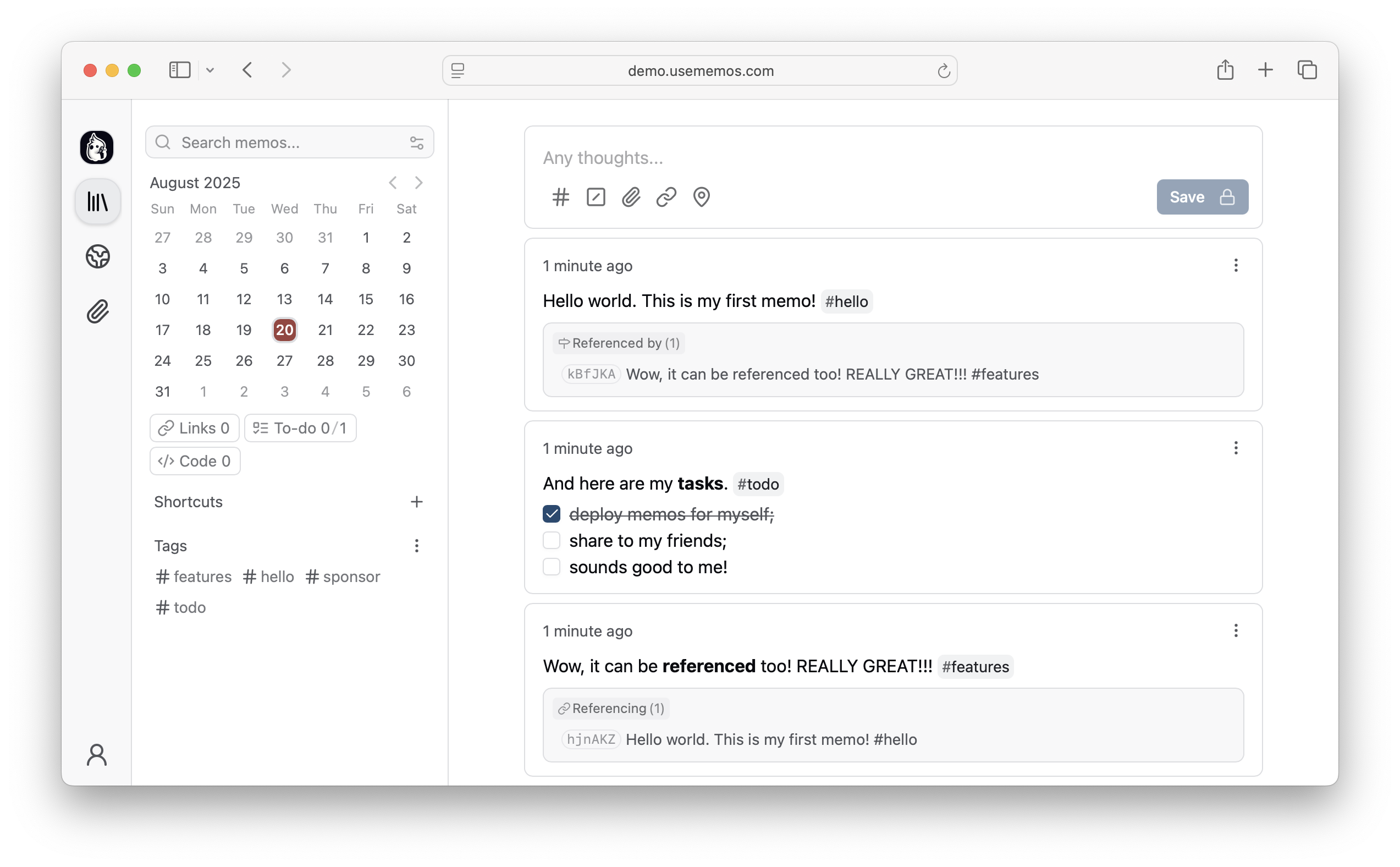
Why Memos?
- Capture quickly — Write in Markdown, attach media, and save without choosing a title, folder, or template.
- Organize lightly — Revisit notes through the timeline, search, tags, and pins.
- Share selectively — Keep memos private or publish only what you choose.
- Keep control — Self-host Memos with zero telemetry and MIT-licensed source.
Quick Start
Run Memos with Docker:
docker run -d \
  --name memos \
  -p 5230:5230 \
  -v ~/.memos:/var/opt/memos \
  neosmemo/memos:stable
Other install options are in the deployment guide.
Web Clipper
Save pages, selections, and images from your browser straight into Memos as source-linked Markdown. Get the Memos Web Clipper for Chrome or Firefox.
Sponsors



Love Memos? Sponsor the project on GitHub.
Get Help
Read the docs, join Discord, or ask in GitHub Discussions. Found a bug or have an idea? Open an issue. To contribute, see the contributing guide.