

 **Fast enough for every thought. Private enough for all of them.**
Memos is an open-source, self-hosted home for short-form thinking. Daily notes, links, work logs, and snippets flow into a chronological Markdown timeline—on infrastructure you control, without the overhead of an all-in-one workspace.
**[Run with Docker](#quick-start)** · **[Try the live demo](https://demo.usememos.com/)** · [Read the docs](https://usememos.com/docs)
[](https://github.com/usememos/memos)
[](https://github.com/usememos/memos/releases)
[](https://hub.docker.com/r/neosmemo/memos)
[](LICENSE)
**Fast enough for every thought. Private enough for all of them.**
Memos is an open-source, self-hosted home for short-form thinking. Daily notes, links, work logs, and snippets flow into a chronological Markdown timeline—on infrastructure you control, without the overhead of an all-in-one workspace.
**[Run with Docker](#quick-start)** · **[Try the live demo](https://demo.usememos.com/)** · [Read the docs](https://usememos.com/docs)
[](https://github.com/usememos/memos)
[](https://github.com/usememos/memos/releases)
[](https://hub.docker.com/r/neosmemo/memos)
[](LICENSE)
 ## Why Memos?
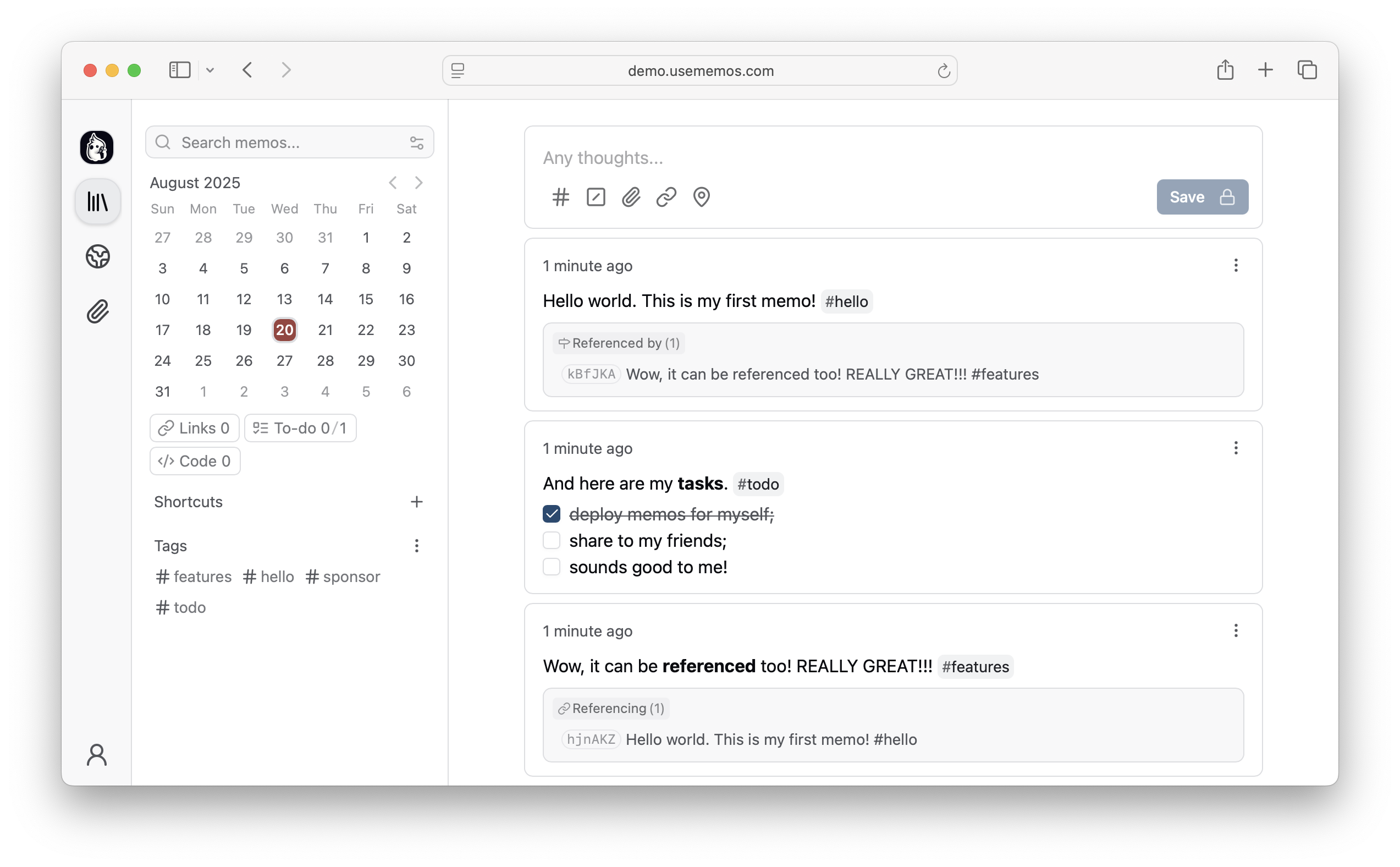
- **Capture quickly** — Write in Markdown, attach media, and save without choosing a title, folder, or template.
- **Organize lightly** — Revisit notes through the timeline, search, tags, and pins.
- **Share selectively** — Keep memos private or publish only what you choose.
- **Keep control** — Self-host Memos with [zero telemetry](https://usememos.com/features/data-ownership) and [MIT-licensed source](LICENSE).
[Explore all features →](https://usememos.com/features)
## Quick Start
Run Memos with Docker:
```bash
docker run -d \
--name memos \
-p 5230:5230 \
-v ~/.memos:/var/opt/memos \
neosmemo/memos:stable
```
Other install options are in the [deployment guide](https://usememos.com/docs/deploy).
## Web Clipper
Save pages, selections, and images from your browser straight into Memos as source-linked Markdown. Get the [Memos Web Clipper](https://usememos.com/web-clipper) for [Chrome](https://chromewebstore.google.com/detail/memos-web-clipper/nebaoebnljalfegiidibihhkebeiklbl) or [Firefox](https://addons.mozilla.org/en-US/firefox/addon/memos-web-clipper/).
## Sponsors
## Why Memos?
- **Capture quickly** — Write in Markdown, attach media, and save without choosing a title, folder, or template.
- **Organize lightly** — Revisit notes through the timeline, search, tags, and pins.
- **Share selectively** — Keep memos private or publish only what you choose.
- **Keep control** — Self-host Memos with [zero telemetry](https://usememos.com/features/data-ownership) and [MIT-licensed source](LICENSE).
[Explore all features →](https://usememos.com/features)
## Quick Start
Run Memos with Docker:
```bash
docker run -d \
--name memos \
-p 5230:5230 \
-v ~/.memos:/var/opt/memos \
neosmemo/memos:stable
```
Other install options are in the [deployment guide](https://usememos.com/docs/deploy).
## Web Clipper
Save pages, selections, and images from your browser straight into Memos as source-linked Markdown. Get the [Memos Web Clipper](https://usememos.com/web-clipper) for [Chrome](https://chromewebstore.google.com/detail/memos-web-clipper/nebaoebnljalfegiidibihhkebeiklbl) or [Firefox](https://addons.mozilla.org/en-US/firefox/addon/memos-web-clipper/).
## Sponsors